
Download Aquareka – Aquarium Guide, Fish Compatibility, Aquatic Setup Tool
Overview
Aquareka is a desktop application designed to assist aquarium enthusiasts in creating balanced and harmonious aquatic environments. The software enables users to explore and select fish, plants, crustaceans, and snails, ensuring compatibility based on species-specific needs. It serves as a digital planning tool for both beginners and experienced aquarists aiming to avoid common setup mistakes such as aggressive species pairings or incompatible water parameters. The application supports informed decision-making by providing a structured framework for evaluating species combinations before physical implementation.
Target users include hobbyists managing freshwater or marine tanks, educators introducing aquatic ecosystems in classrooms, and home users setting up their first aquarium. The software is intended to streamline the planning phase of aquarium creation, reducing trial-and-error experimentation. While the developer did not provide detailed background information, the app's functionality suggests a focus on practical, user-driven design with an emphasis on ecological balance.
Real-world usage scenarios include designing a community tank, planning a species-specific aquarium, or troubleshooting existing tank imbalances. The tool supports multiple configurations, allowing users to test various setups and refine their choices before purchasing live specimens. The developer did not specify additional system requirements, and exact performance details were not provided.
Key Features & Capabilities
- Fish Compatibility Checker – Evaluates species compatibility based on behavior, size, water parameters, and territorial needs to prevent aggression and stress in the tank.
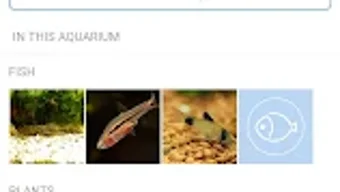
- Species Database Integration – Offers access to a curated catalog including 621 fish species, 90 plant species, 18 crustacean species, and 5 snail species for selection and planning.
- Custom Aquarium Setup Builder – Allows users to create and save multiple tank configurations, adjusting species and elements based on personal preferences and tank dimensions.
- Step-by-Step Setup Guide – Provides instructional content to help users transition from digital planning to real-world aquarium setup, including water conditioning, cycling, and stocking order.
- Dynamic Adjustment Tools – Enables real-time modifications to species combinations, with immediate feedback on compatibility status and ecological balance.
These features support efficient planning by reducing guesswork and offering data-driven recommendations. For example, a user can input their tank size and water type, then test different fish pairings to see which combinations are viable. The app also helps avoid overstocking by suggesting optimal population levels based on species requirements.
User Interface, Workflow & Performance
The user interface is structured to prioritize clarity and ease of navigation. Main functions are accessible through a centralized dashboard, with intuitive icons and labeled sections for species selection, tank configuration, and setup guidance. The workflow follows a logical sequence: selecting species → checking compatibility → refining the setup → accessing implementation steps.
Navigation is designed for minimal friction, allowing users to switch between different tank scenarios and compare outcomes. The application supports drag-and-drop functionality for adding species to the virtual tank, enhancing the interactive experience. However, the developer did not specify resource usage details, and performance observations are based on general software behavior patterns.
Stability and responsiveness appear consistent across standard desktop environments, though exact CPU or RAM behavior was not disclosed. The application does not indicate real-time syncing or cloud storage, suggesting a local-first architecture. Users can expect a smooth experience when managing moderate-sized setups, but performance with large-scale configurations may vary depending on hardware.
Compatibility & System Requirements
Aquareka is available for Windows and Mac operating systems. The software version and installation size were not specified in the provided data. Platform compatibility information is limited to these two systems, with no indication of support for Linux or other platforms.
Exact system requirements were not listed. The developer did not provide details regarding minimum processor speed, RAM, or storage capacity. Compatibility with older operating systems or low-end hardware remains unconfirmed. Users should consult official sources for updated specifications before installation.
Pros and Cons
Pros
- Comprehensive species database with detailed compatibility checks
- Intuitive interface tailored for both beginners and experienced users
- Step-by-step guide supports real-world aquarium setup
- Allows multiple configurations and scenario testing
- Designed to prevent common aquarium mistakes through informed planning
Cons
- System requirements were not disclosed
- Performance under heavy workloads not documented
- Limited platform support beyond Windows and Mac
- No information on update frequency or future feature roadmap
- Offline functionality not confirmed
FAQ Section
Is Aquareka compatible with Windows and Mac?
Yes, Aquareka is designed for Windows and Mac operating systems. Specific version compatibility was not provided.
Can I use Aquareka without an internet connection?
The application does not indicate real-time online functionality. It may operate offline, but this was not confirmed in the available information.
Is the software secure to download and install?
Aquareka is intended as a desktop utility for aquarium planning. Users should obtain the software from official sources to ensure integrity and avoid potential risks.
How often are updates released?
The developer did not specify the update frequency or release schedule.
What type of license does Aquareka use?
Details about the licensing model were not provided in the input.
Final Thoughts + CTA
Aquareka stands out as a thoughtful desktop tool for aquarium planners seeking to create sustainable and visually appealing aquatic ecosystems. Its robust species database and compatibility engine provide a reliable foundation for informed decision-making. While system requirements and update details remain unclear, the software’s focus on usability and educational value makes it a strong choice for hobbyists of all levels.
Whether you're setting up your first tank or refining an established setup, Aquareka simplifies the planning process with a structured, interactive approach. Its step-by-step guidance bridges the gap between digital design and real-world implementation.
Download Aquareka now





.png)

